
We make it easy for you to access your cPanel account without having to ever know the password!
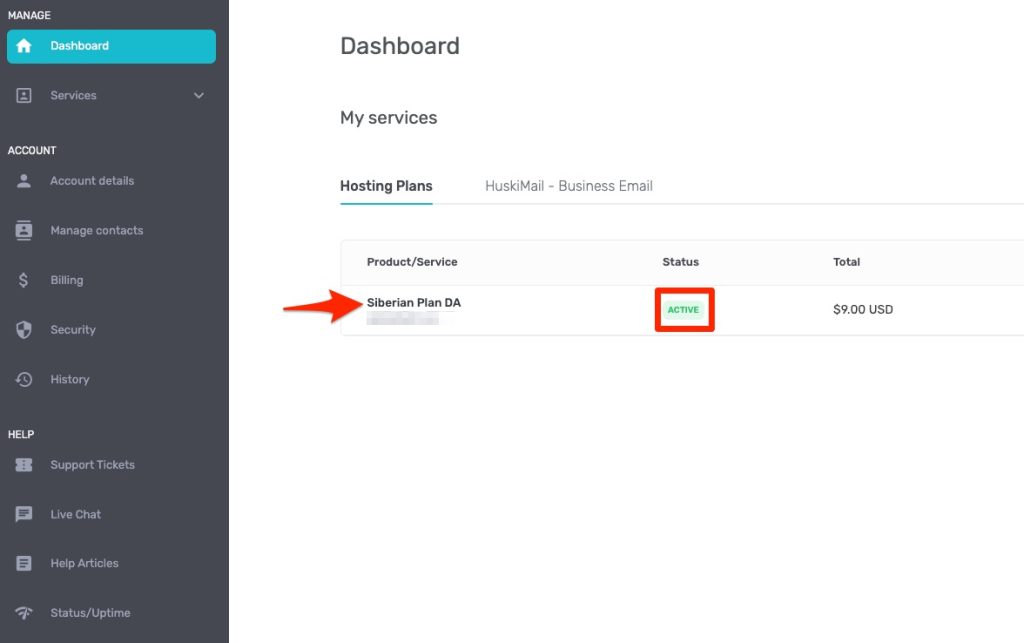
All you have to do is login to your HostHuski client area and then open the hosting plan you want to access the cPanel for. You can do this from the “My Services” table. The service must be “Active.” To open the hosting plan you click the title of the product. In this case it would be “Siberian Plan DA”.
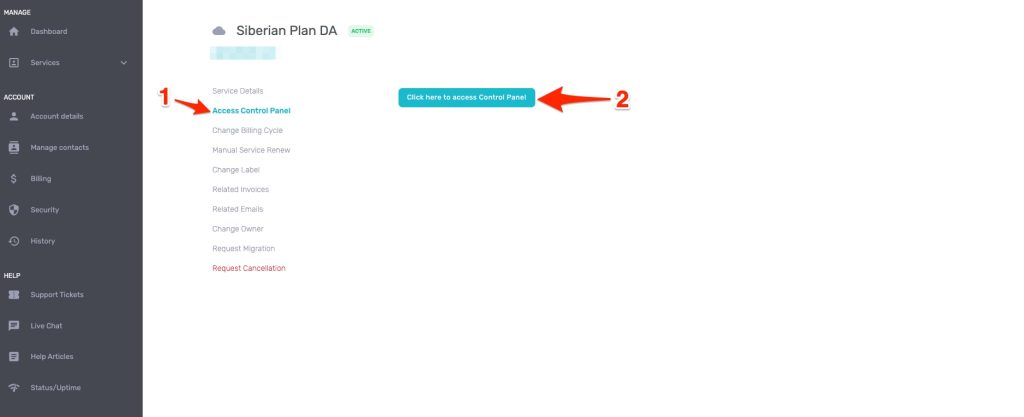
After doing this, you’ll click “Access Control Panel” on the left side. Then click the button “Click here to access Control Panel”.
That’s it, dawg!


