
Overview #
Each event is its own page at /events/event-name/. All events are listed at /events/.
Where to Find It #
Go to Huski Events > Add New Event (/wp-admin/post-new.php?post_type=huskievent).
Event Settings #
- Title and description: Written in the main editor; shown on the event page.
- Featured image: Used on the event page and in lists and grids.
- Event Categories: Tick categories in the sidebar.
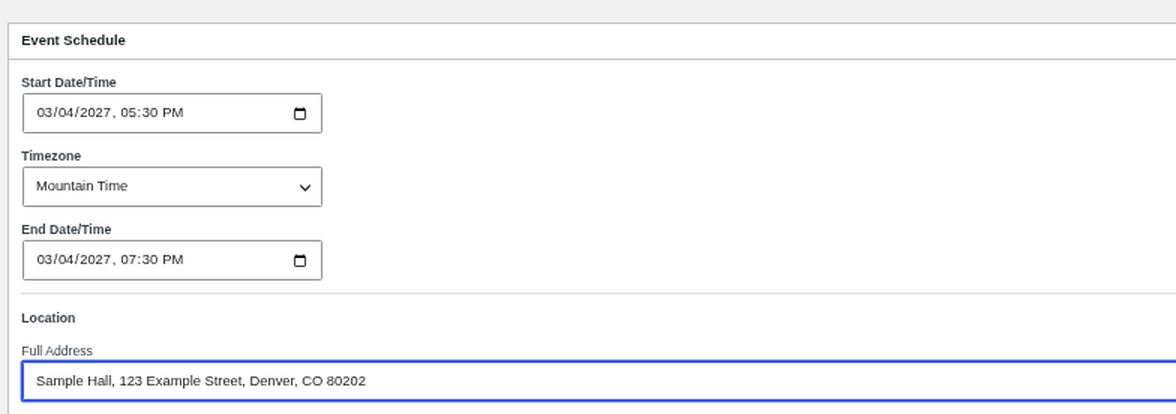
- Event Schedule: Start and end date/time, the event’s time zone, and the location’s Full Address.
The same screen also has boxes for Event Fields, Ticket Types, Registration Form Fields, Email Notifications, Mailchimp, Related Events, Tabs, and Speakers (each has its own article).
Previewing #
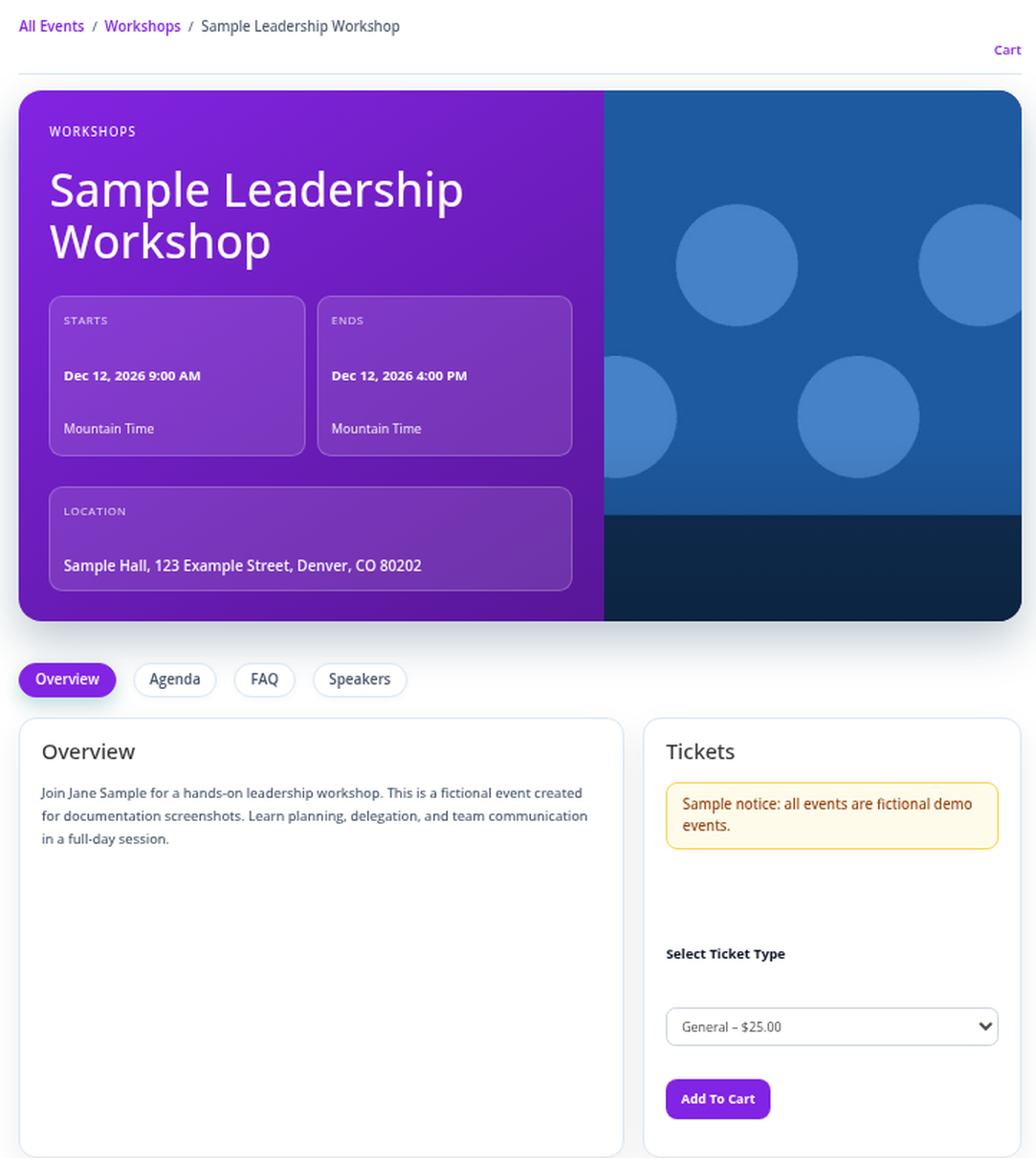
While an event is a draft, you can preview the cart and checkout, but payment stays off until it is published.
Best Practices #
- Always set the time zone; ticket sale dates and reminders use it.
Troubleshooting #
- Times look wrong: Check the event’s Timezone setting.
That’s it, dawg!


