
Overview #
Each ticket registration is saved as an attendee. You cannot add attendees by hand; they come from checkout.
Where to Find It #
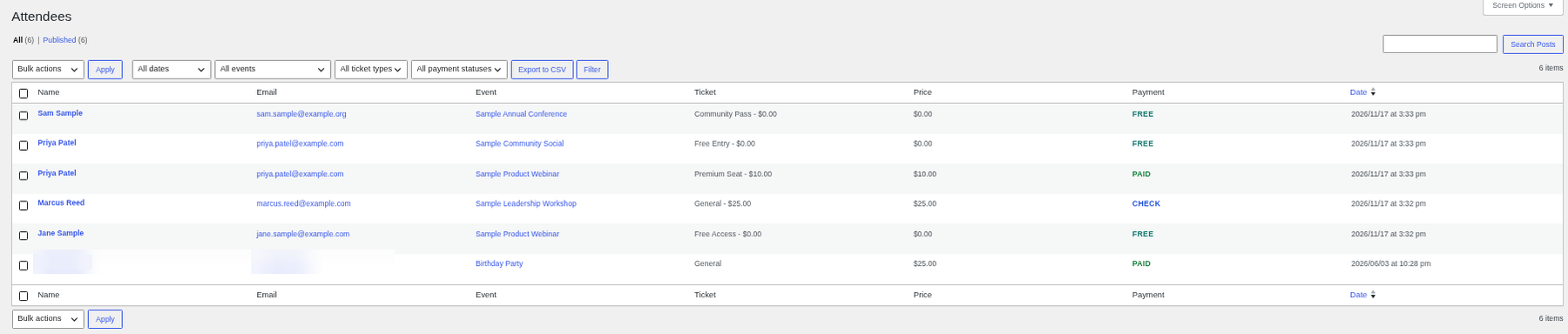
Go to Huski Events > View Attendees (/wp-admin/edit.php?post_type=huskievent_reg).
What You Can Do #
- Filter: By event, ticket type, or payment status.
- Export to CSV: Download the filtered list (Date, Name, Email, Event, Ticket, Quantity, Price, Payment).
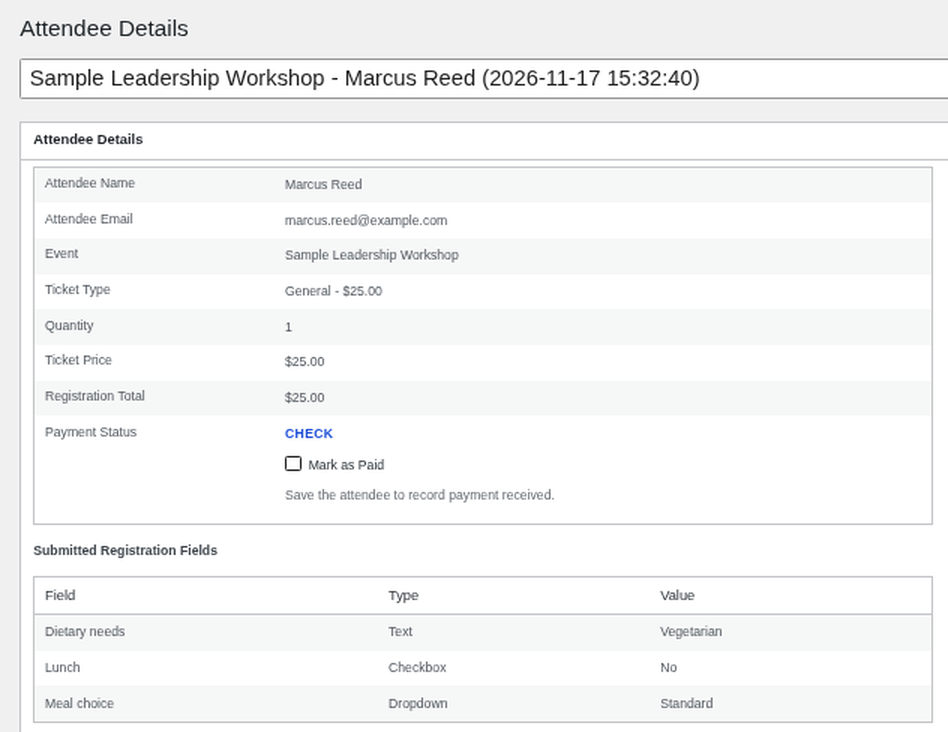
- Mark Paid: Select pay-by-check attendees and use the bulk action, or open one and use Mark as Paid.
- View details: Open an attendee to see ticket, add-ons, total, payment status, Stripe session, and answers to registration questions.
Best Practices #
- Export the list the day before each event for check-in.
Troubleshooting #
- An attendee is missing: Unfinished card payments are removed after about 30 minutes.
That’s it, dawg!


