
Overview #
Event Fields are your own extra details for events. You define them once, then fill them in per event.
Where to Find It #
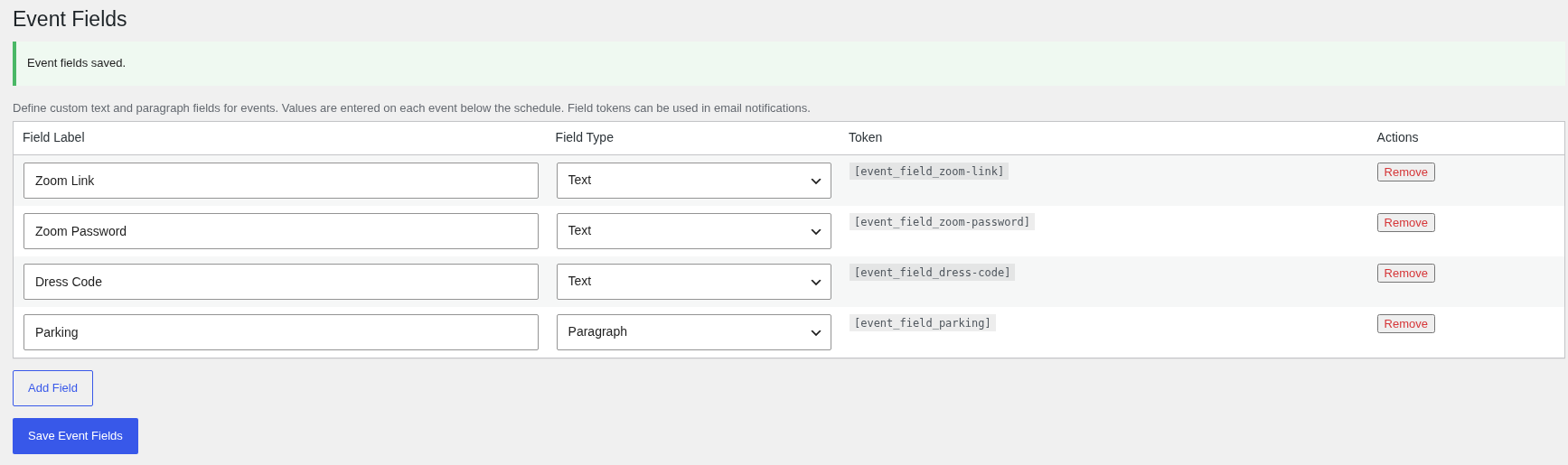
Go to Huski Events > Event Fields (/wp-admin/edit.php?post_type=huskievent&page=huskievents-event-fields).
How to Use Them #
- Click Add Field, enter a label, and pick Text or Paragraph.
- Click Save Event Fields. Each field gets a Token.
- Edit an event and fill in the values below the schedule.
- Use the token in email notifications.
Best Practices #
- Use event fields for details that change per event, like parking or Zoom links.
Troubleshooting #
- No token shows: Tokens are created after the label is saved.
That’s it, dawg!


