
Overview #
Coupons reduce the cart total before payment. They are managed here, not in Stripe.
Where to Find It #
Go to Huski Events > Coupons (/wp-admin/edit.php?post_type=huskievent&page=huskievents-coupons) and click Add Coupon.
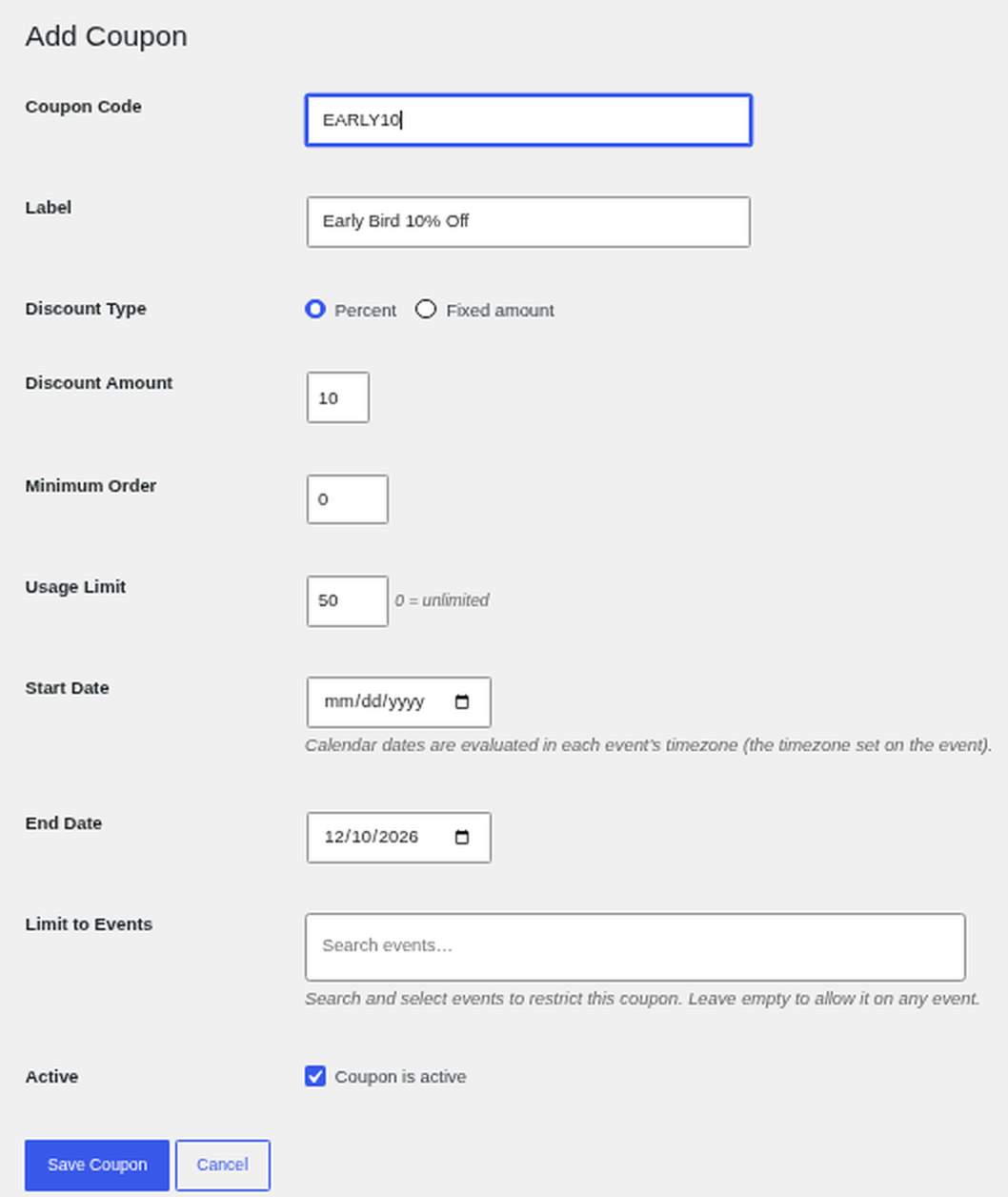
Coupon Options #
- Coupon Code and Label: What buyers type, and a description.
- Discount Type and Amount: Percent or Fixed amount.
- Minimum Order: Lowest cart total allowed.
- Usage Limit: Total uses. 0 means unlimited.
- Start and End Date: When it works, in each event’s time zone.
- Limit to Events: Only for chosen events. Leave empty for all.
- Coupon is active: Turn it on or off.
Best Practices #
- Set an end date on promotional codes.
Troubleshooting #
- “Coupons cannot be applied to free orders.”: Coupons only work on paid carts.
- “That coupon does not apply to the events in your cart.”: Check Limit to Events.
That’s it, dawg!


