
Overview #
Speakers are kept in one library and reused across events.
Where to Find It #
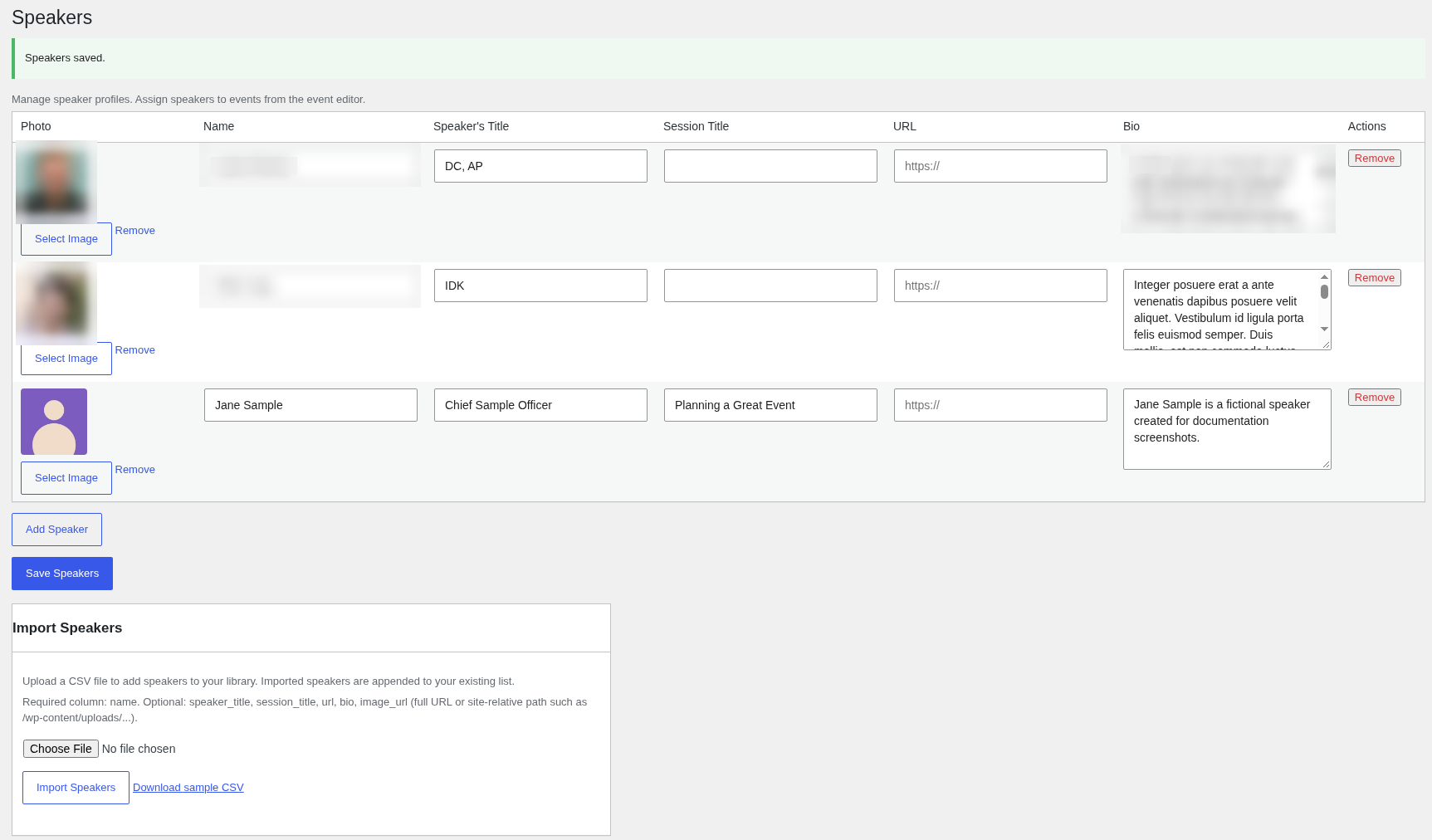
Go to Huski Events > Speakers (/wp-admin/edit.php?post_type=huskievent&page=huskievents-speakers).
Managing Speakers #
- Add Speaker: Enter Photo, Name, Speaker’s Title, Session Title, URL, and Bio, then Save Speakers.
- Import Speakers: Upload a CSV (with a header row and a name column). Imported speakers are added to your list. Click Download sample CSV for a template.
Adding Speakers to an Event #
In the event editor, pick a speaker from Select a speaker and click Add. They appear in a Speakers tab on the event page, with Read bio.
Showing All Speakers #
Use [huskievents_all_speakers] (A to Z) or [huskievents_all_speakers order="name-desc"] on any page.
Best Practices #
- Use square photos of the same size.
Troubleshooting #
- “The CSV file must include a name column.”: Add a header named name.
That’s it, dawg!


